

LessonPal
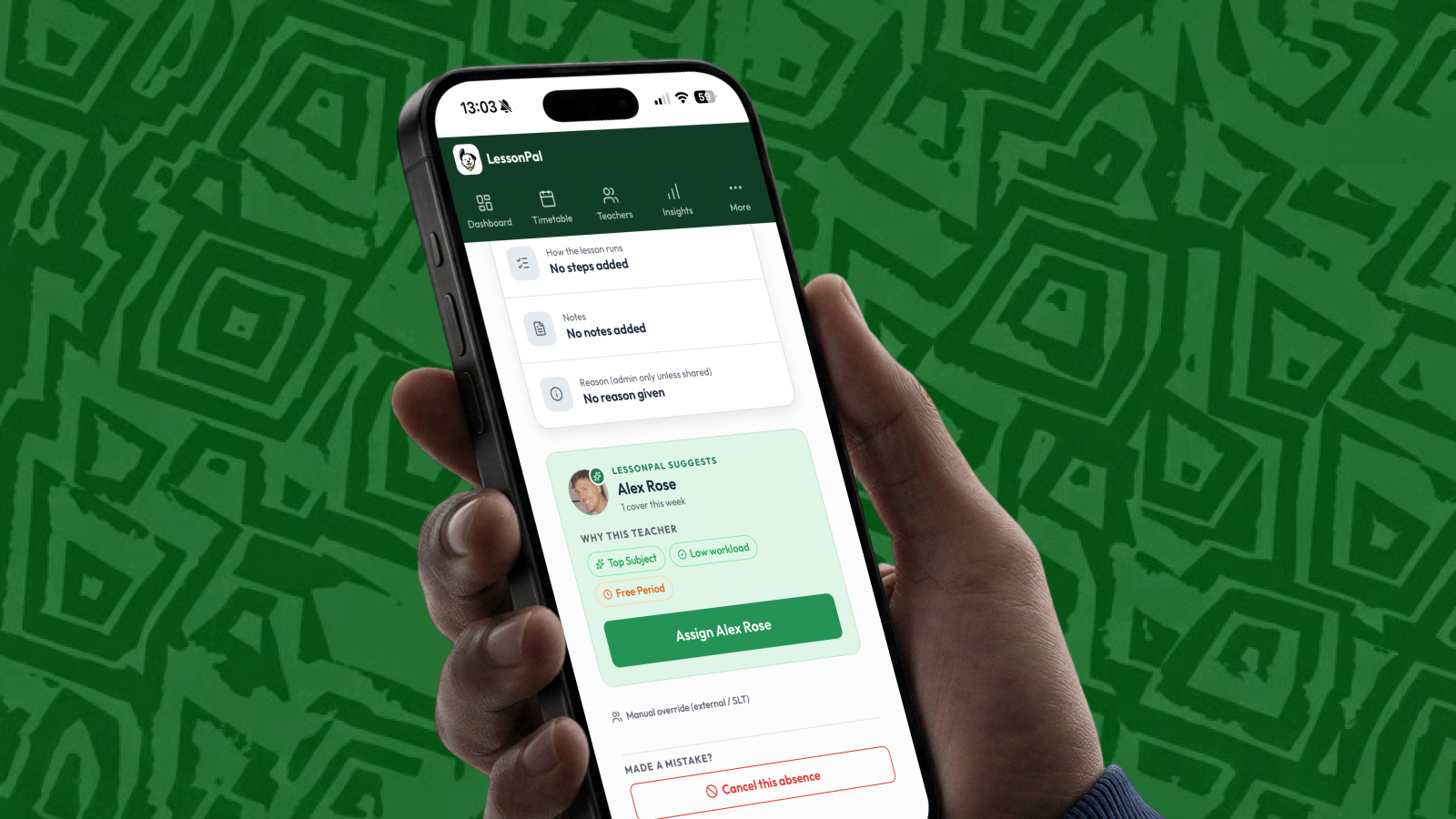
Context
Every morning, schools scramble to find cover for absent teachers.
I co-founded LessonPal with an assistant headteacher to take that work off leadership teams. I designed the whole product, from a weekend prototype to a shipped product with users in under 3 months.
What I Did
- 01
Prototype
A working version built and tested with 14 teachers in a weekend.
- 02
Onboarding
A quick setup for schools, staff and timetables.
- 03
Teacher And Admin Apps
Log an absence, assign cover and see insights, built around a school morning.
- 04
Brand And Website
Created a brand identity including the product, logo and website.
- 05
Safeguarding And Data
Wrote the safeguarding and data protection documentation.
- 06
Launch
The LessonPal web app is live in a school, with the mobile app in App Store review.
Results
The Admin Product
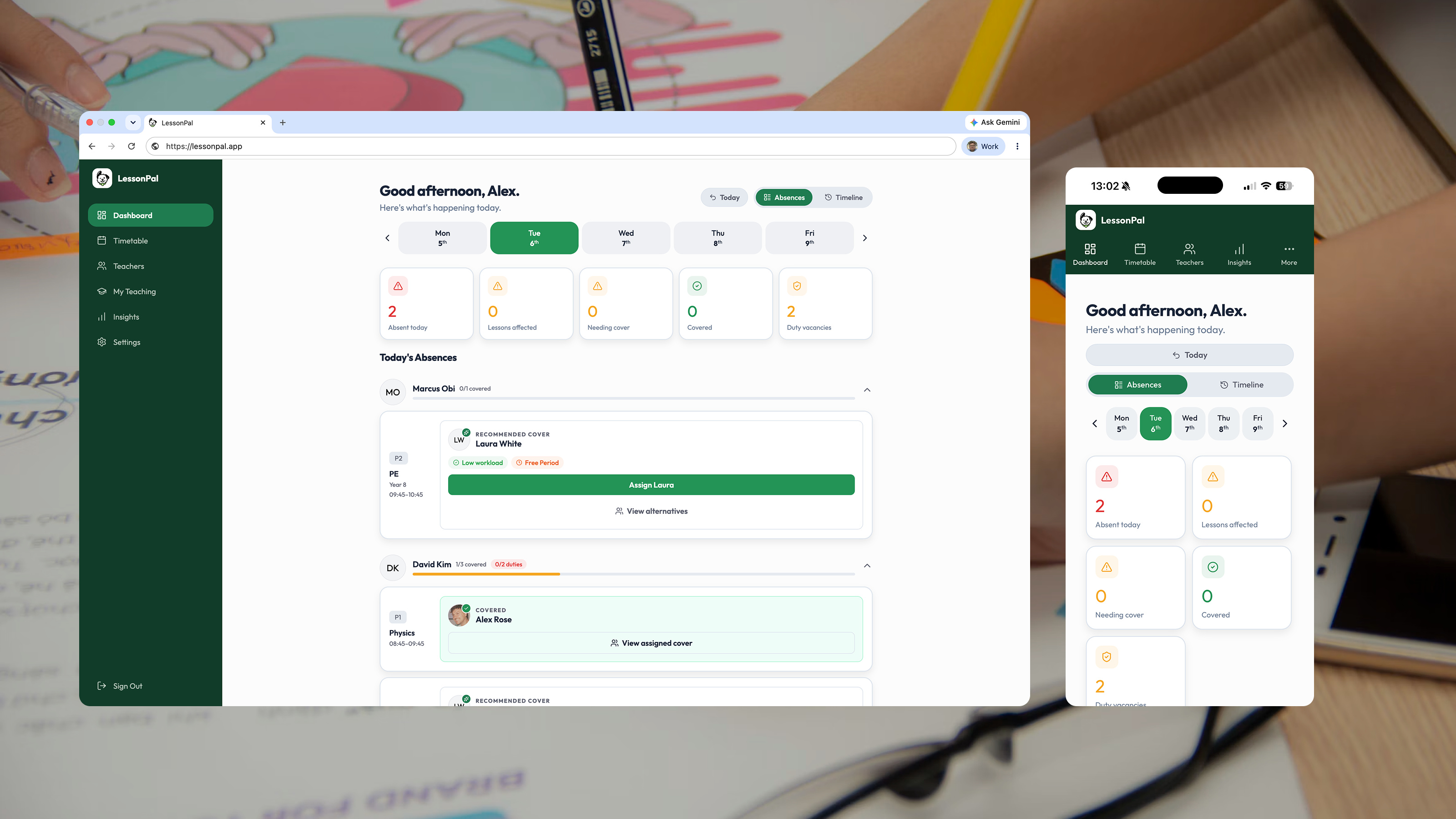
Admins can check in on their school and assign cover in moments, on desktop or mobile.
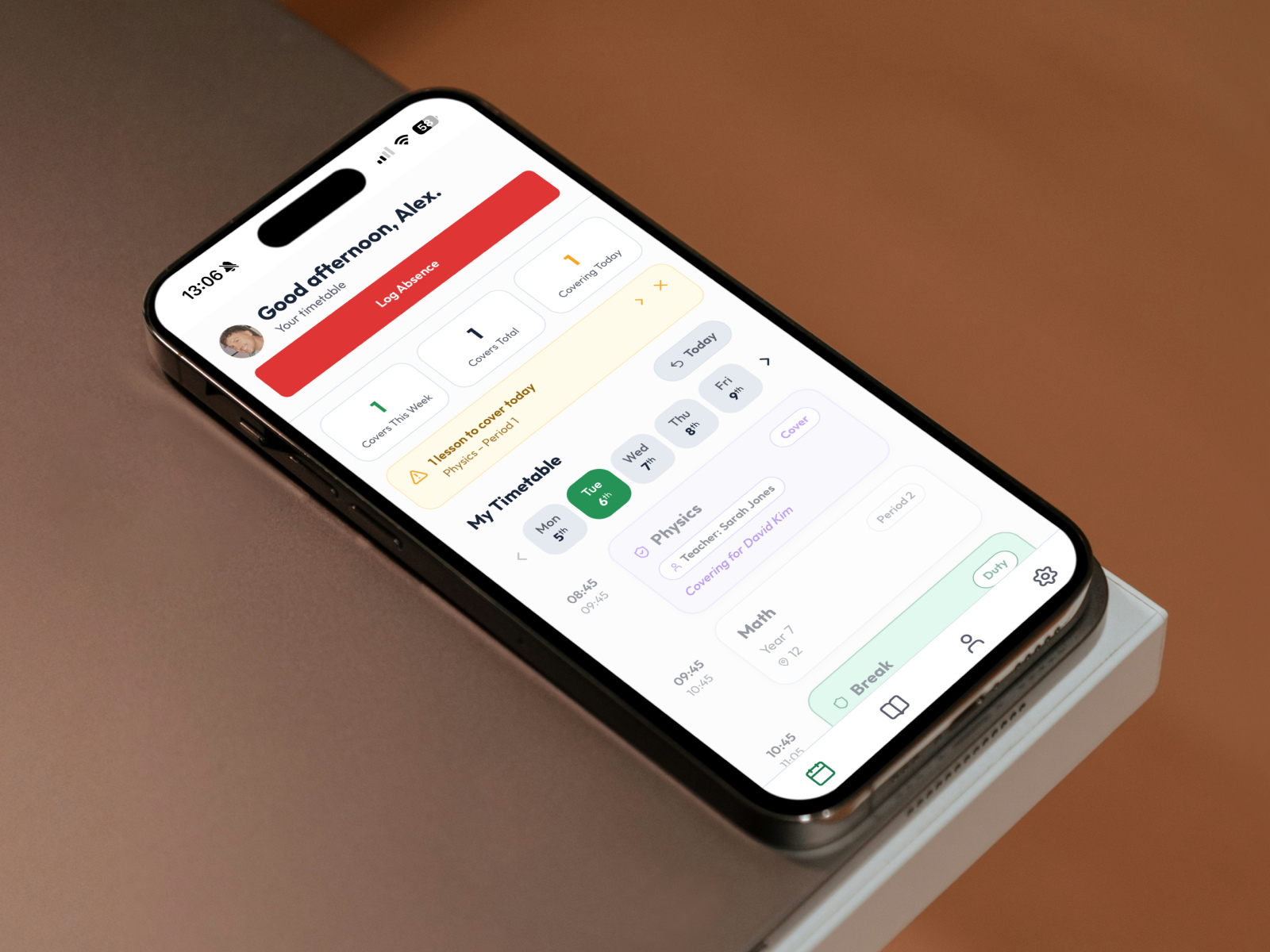
The Teacher App
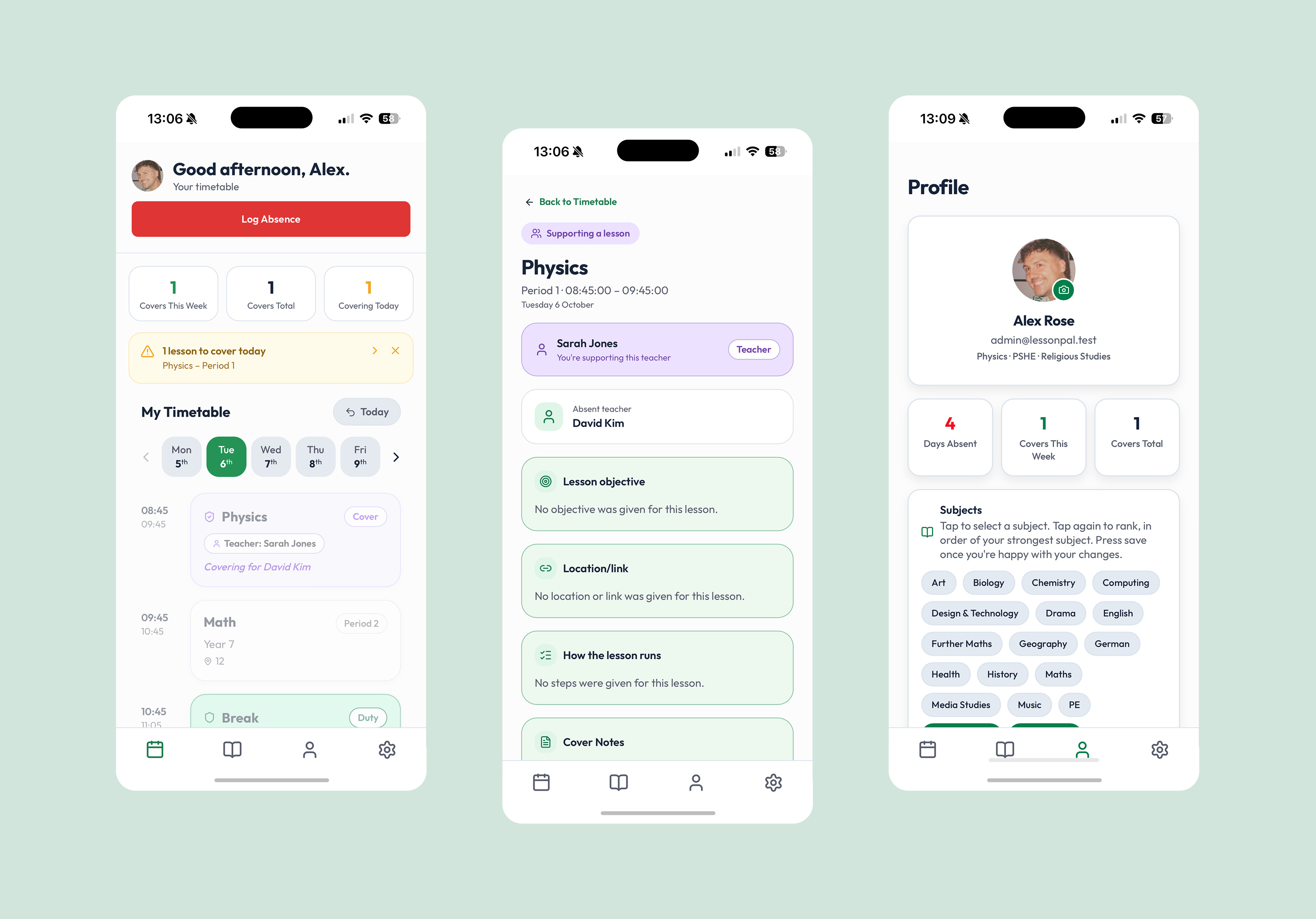
Designed to be as quick and friendly as possible. Teachers can see their timetable, log an absence and check their cover in seconds.
Key Screens
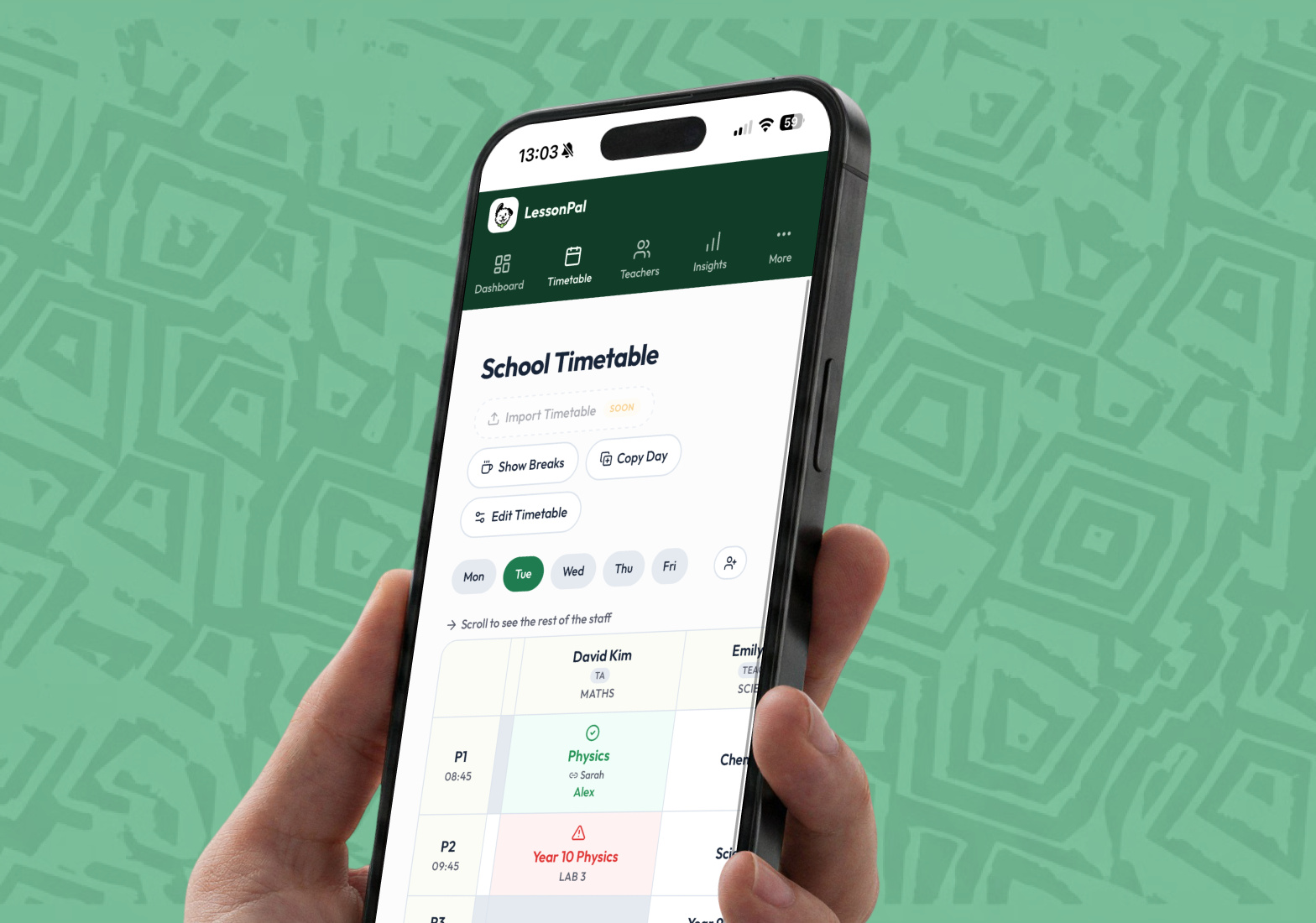
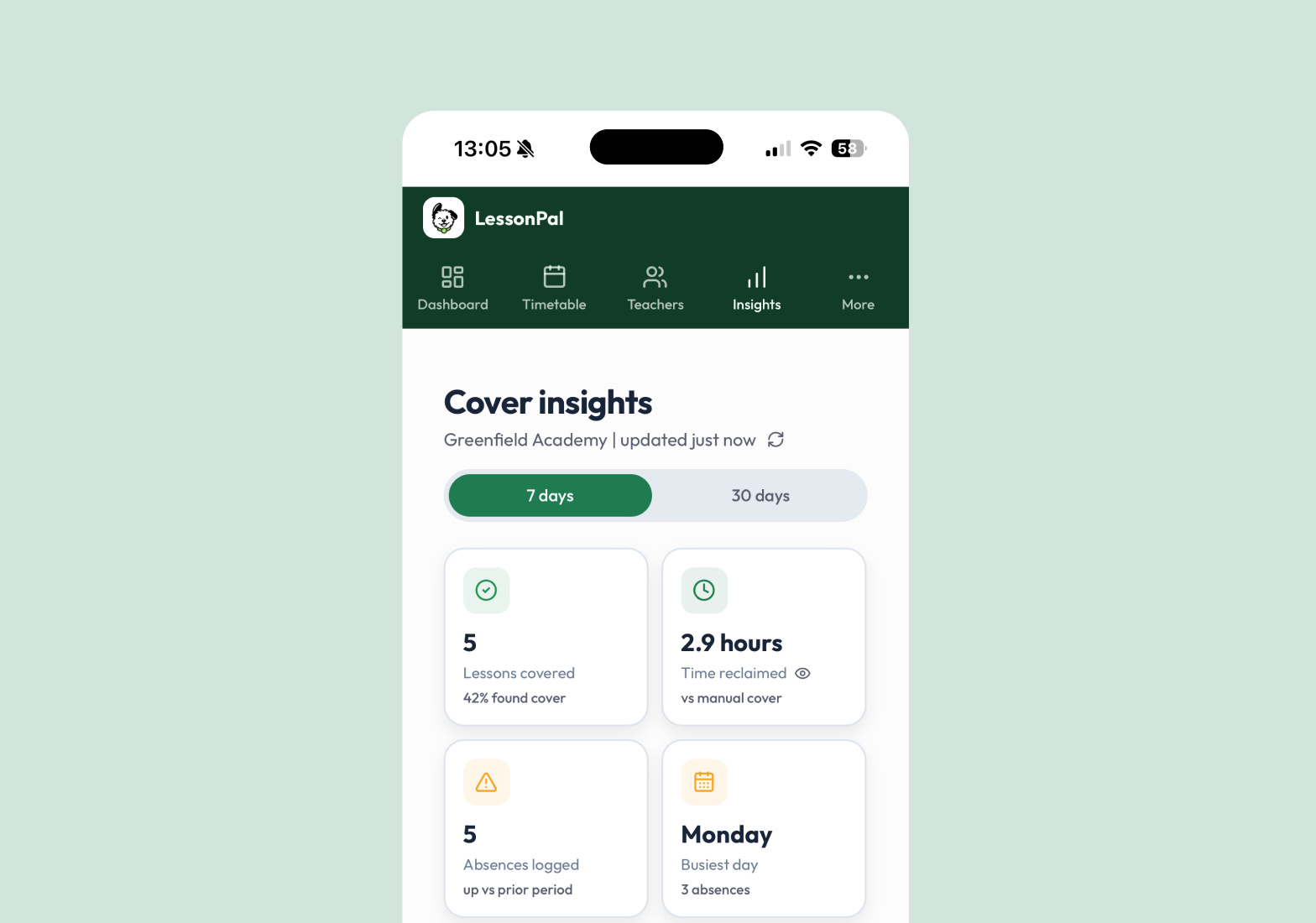
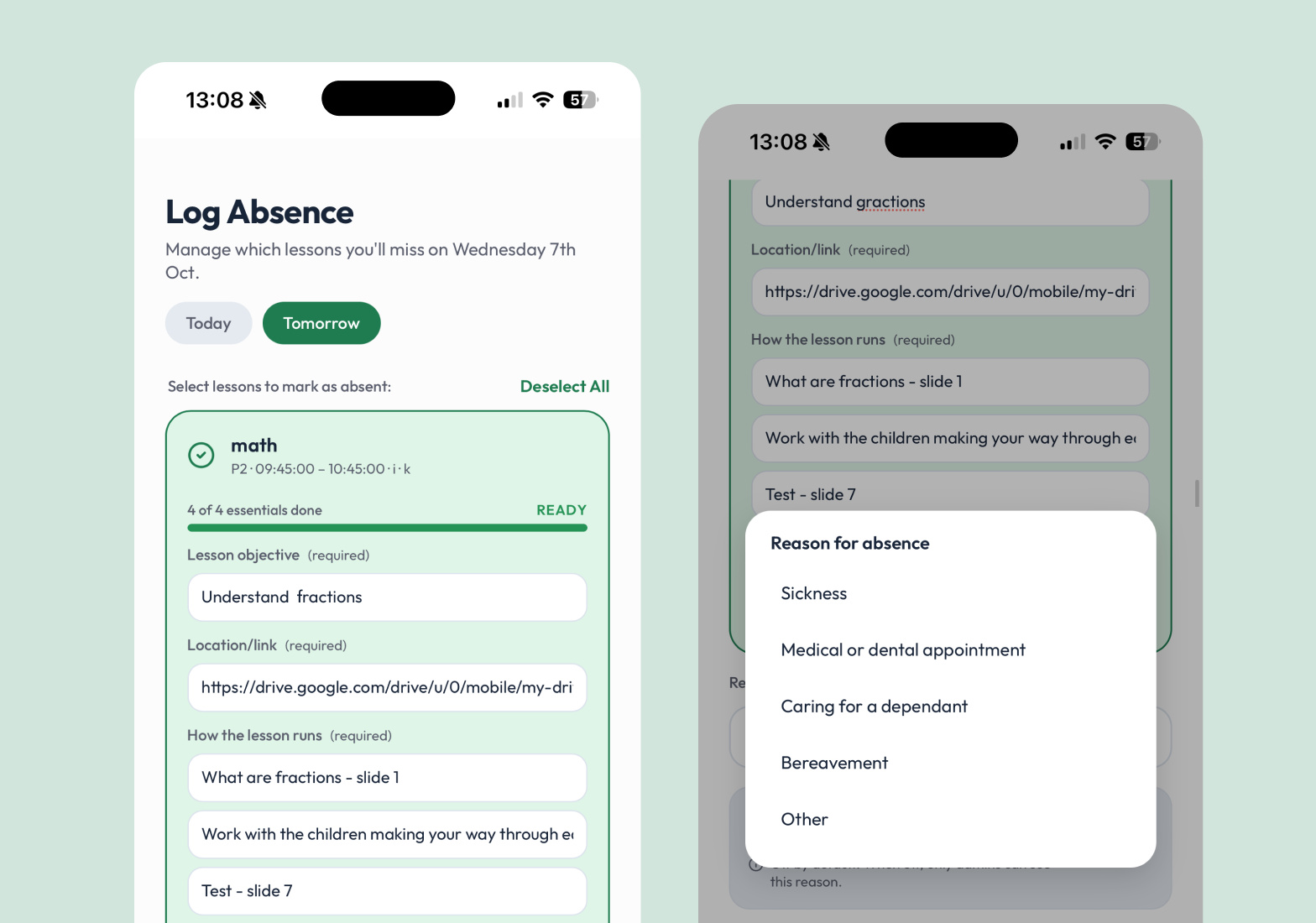
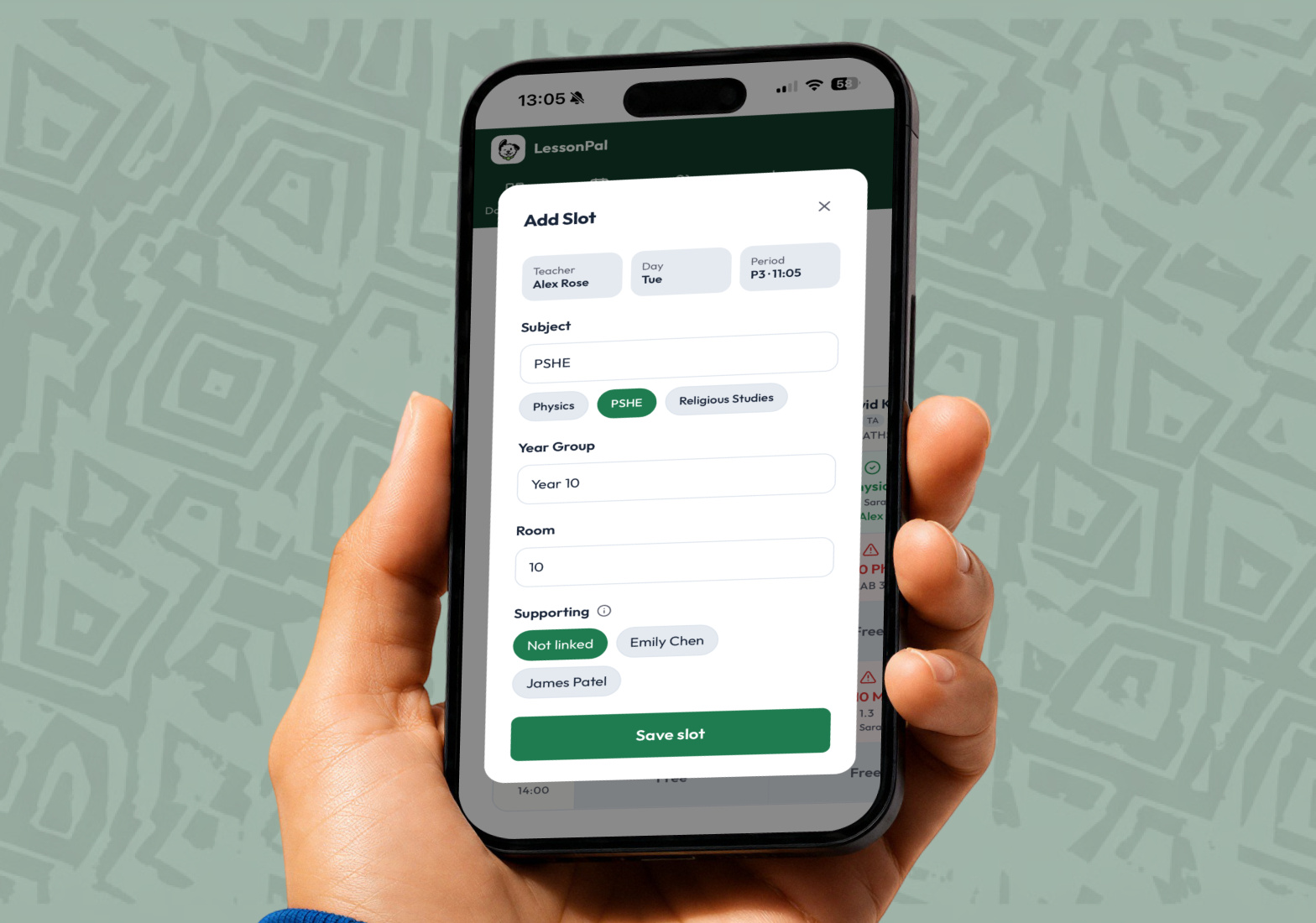
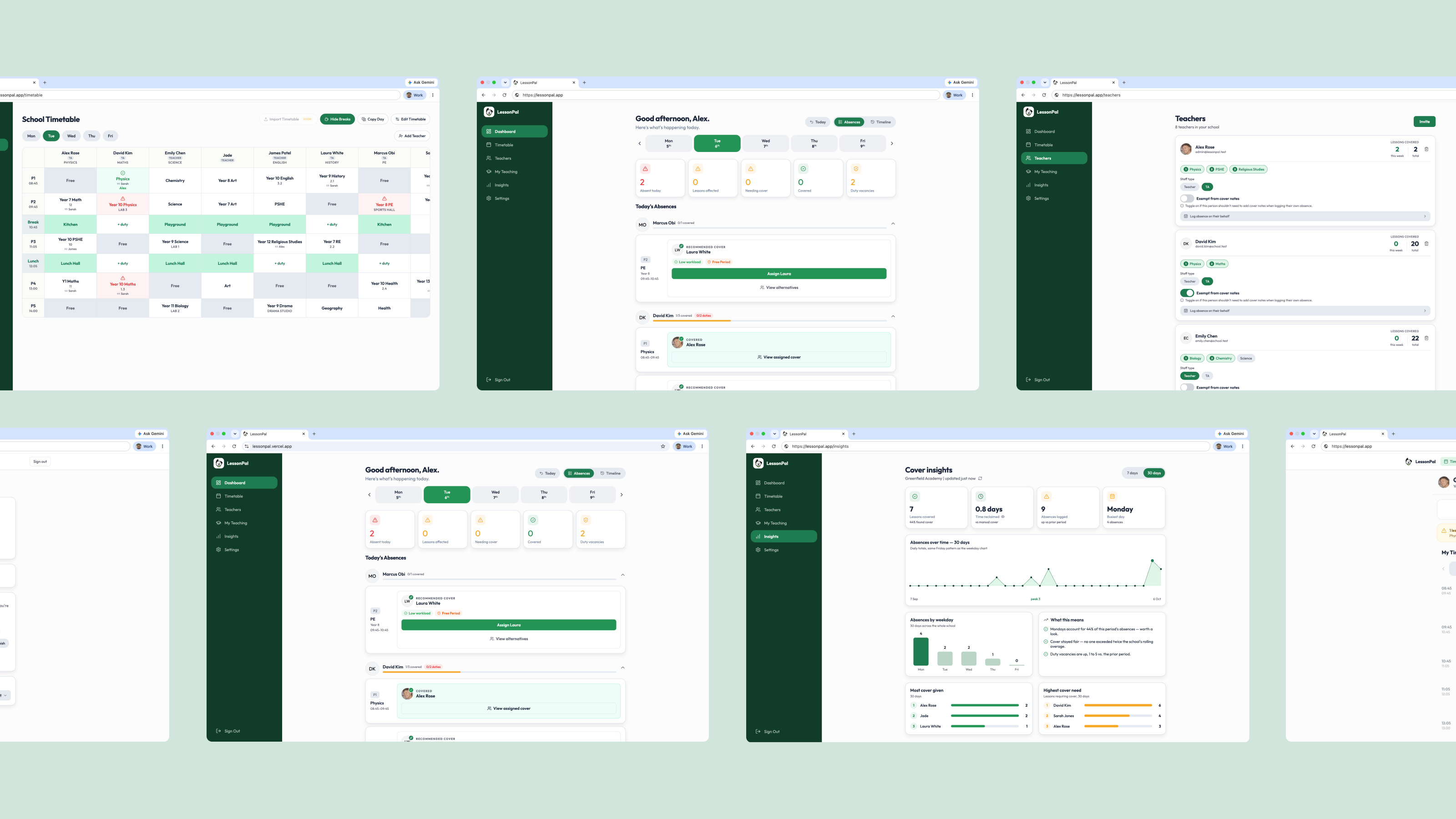
More screens from the admin view: timetable, cover, insights, editing lessons and the iOS app.
The Timetable
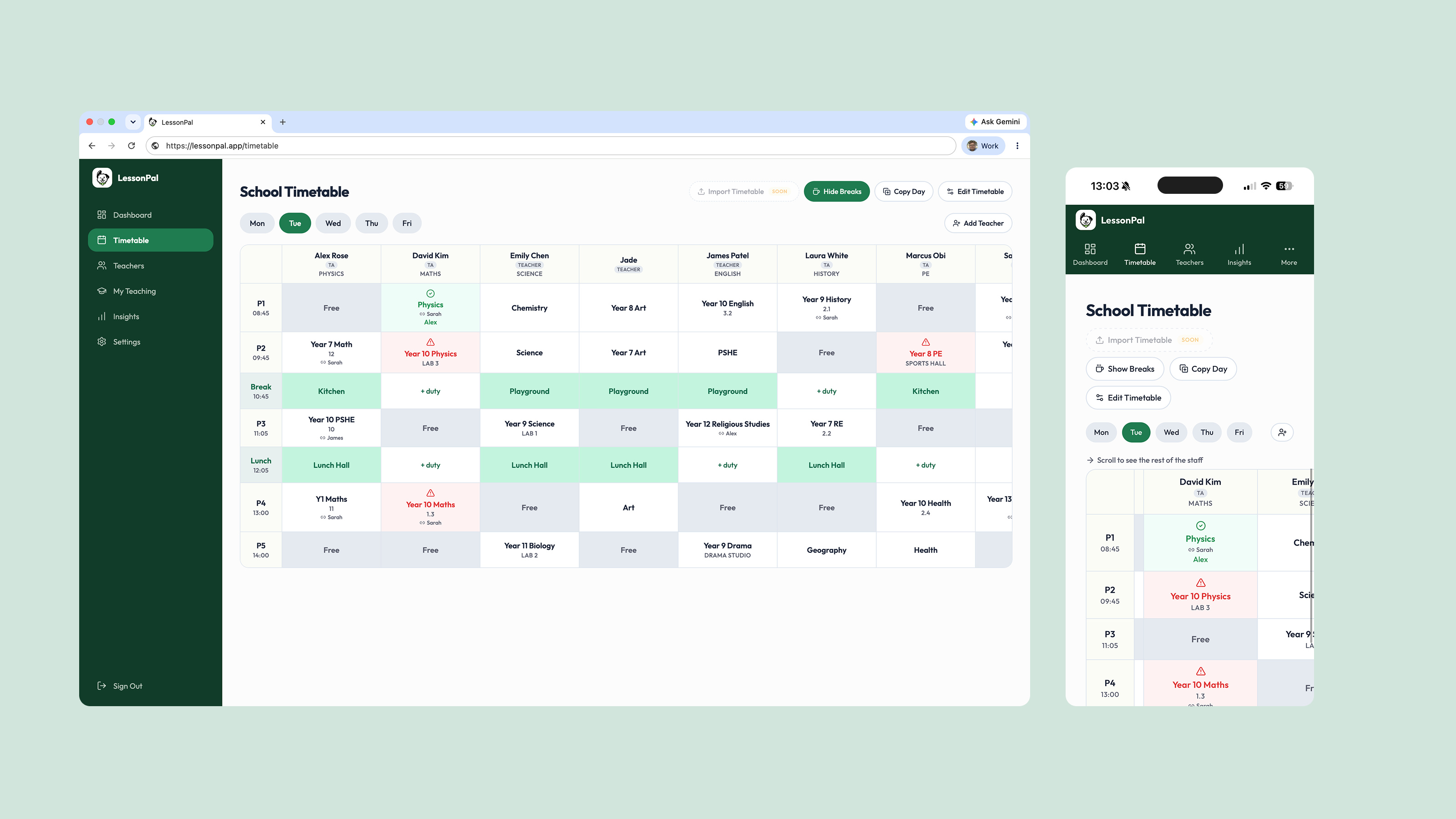
Designing a timetable that works the way schools actually run was the most interesting challenge.
Across The Product
How I Use AI
AI is how a small team moved fast, from prototype to a live app.
- 01
A Prototype In A Weekend
Built the first version in Lovable over a weekend, then tested it with 14 teachers.
- 02
A Daily Design Agent
An agent tests the live app every day against the Linear tickets, then prompts the developer and my co-founder.
- 03
Design
Claude builds a component library from scratch, and helps me innovate new features.
Where AI Got It Wrong
AI let us build so fast that we lost track of it all, so we made Figma the single source of truth and now AI builds on that, not the other way round.
Time Saved
A prototype built and tested with 14 teachers in a weekend.
Built For The School Morning
Kind Words
“LessonPal has made our mornings more efficient, freeing staff to focus on other tasks. Lewis and his team made onboarding simple, and are responsive and patient with everyone using the product.”